An idea
Develop the reference you want to paint
Set the subject, lighting and mood so the reference supports the painting you have in mind.
Atelier Masterclass · for traditional painters
Plan the work, understand colour and pigments, use the paints you actually own, get practical guidance while you paint, and keep the finished work organised — without handing over the artistic decisions.
Less studio friction. More time painting.
Studio Business now includes Artwork Costing to organise painting time, materials and pricing scenarios, plus Opportunities to discover exhibitions, calls and awards by location and medium. Listings and estimates always require your own review.
For oil, acrylic, watercolour and gouache painters — from serious hobbyists to working artists and educators.
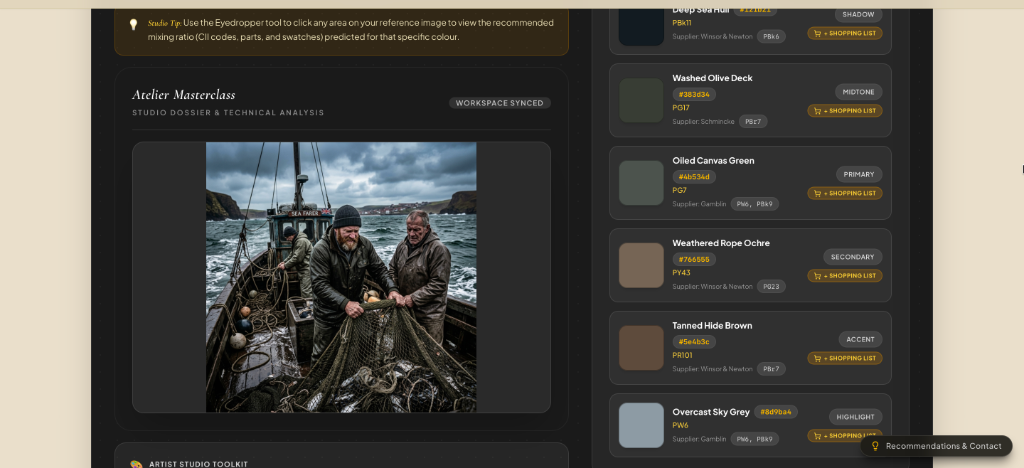
Reference, pigment information, planning and studio context stay together.
Start where painters actually start
Start with whatever you already have — an idea, a reference, a painting in progress or an existing project. Atelier helps you move forward from there, because real paintings do not all begin in the same place.
An idea
Set the subject, lighting and mood so the reference supports the painting you have in mind.
A reference
Study composition, values, colour relationships and the pigments behind what you see.
A painting underway
Use WIP analysis and Mentor guidance when another pair of informed eyes would help.
An existing project
Keep the reference, plan, notes, materials and progress around the same painting.
Creative Planning
Choose the starting point that matches where the painting actually is. Each route is deliberately short: give Atelier the useful input, review what it prepares, then decide what belongs in your painting.
The difference is the connection
Painters already use photographs, notes, colour references, mixing records, critiques, spreadsheets and client records. Atelier lets you do it all — and so much more — in one organised place.
Start with an idea, photograph, sketch or an existing painting.
Read the composition, values, colour relationships and practical painting demands.
Relate what you see to real pigments and, where useful, the paints already in your studio.
Turn the important decisions into a clear sequence you can work from at the easel.
Use the reference, WIP guidance and Mentor without surrendering the artistic decisions.
Keep the finished artwork, documentation and selected professional records connected to the artwork.
Turn understanding into something you can actually paint from.
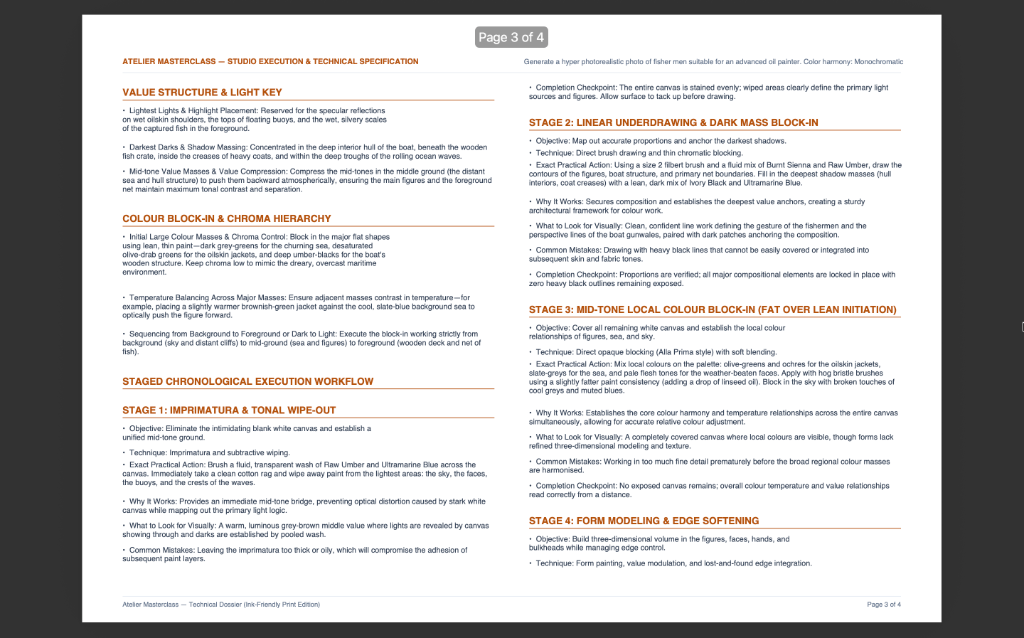
Studio intelligence that is actually practical
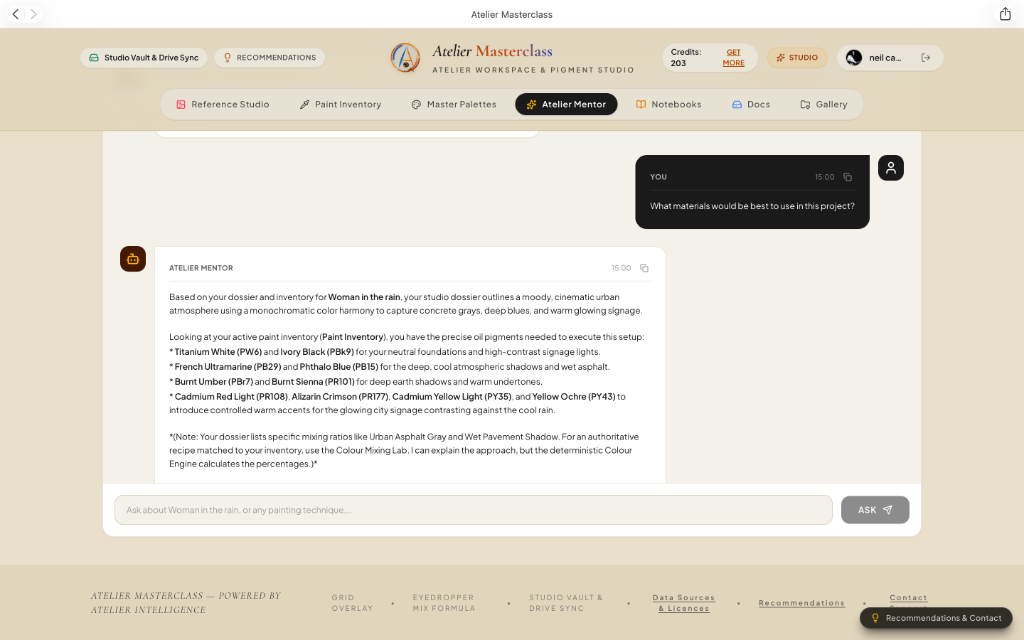
Colour advice becomes far more useful when it can take account of the paints sitting in your own studio.
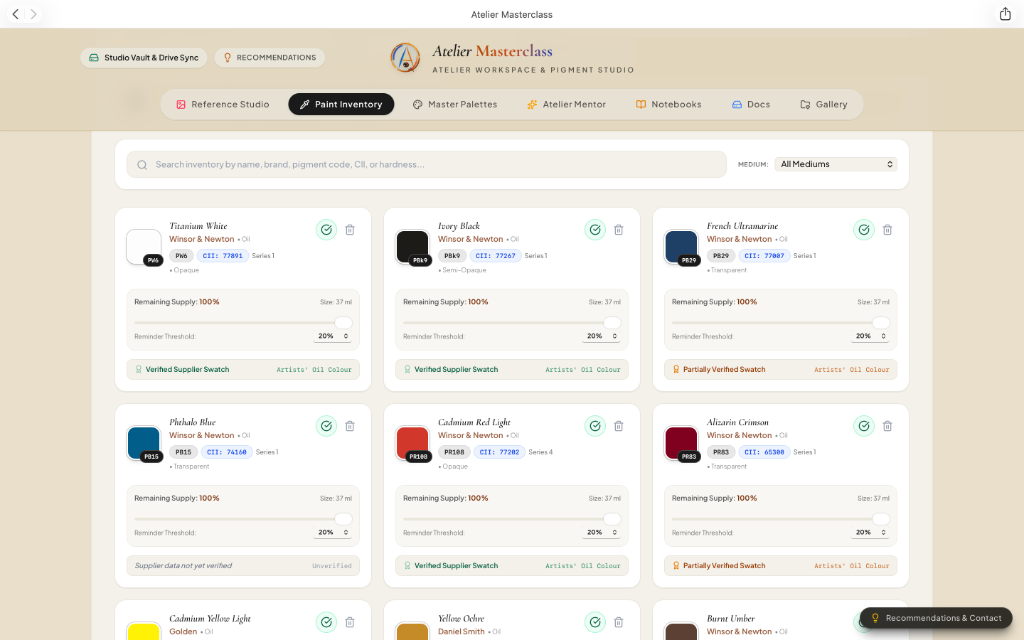
Record paints, materials and stock so recommendations can be grounded in the studio you really work in.
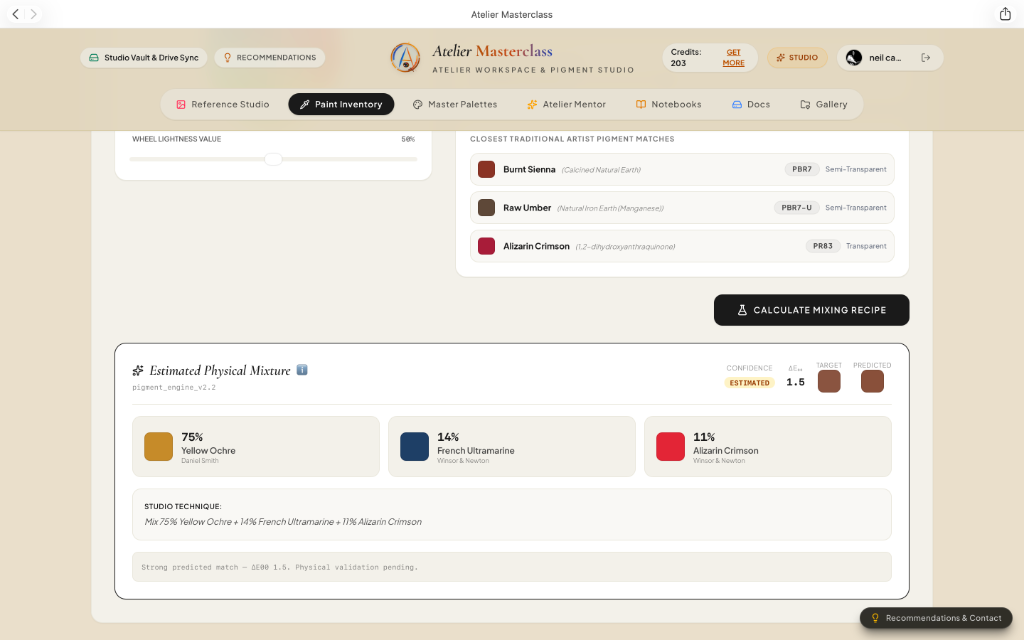
Use pigment information and estimated mixing guidance as a practical starting point for physical palette testing — not as a substitute for the painter's eye.
This is one of Atelier's strongest differences: colour, pigments, inventory and the painting plan can inform one another instead of living in separate tools.
Once the painting has started
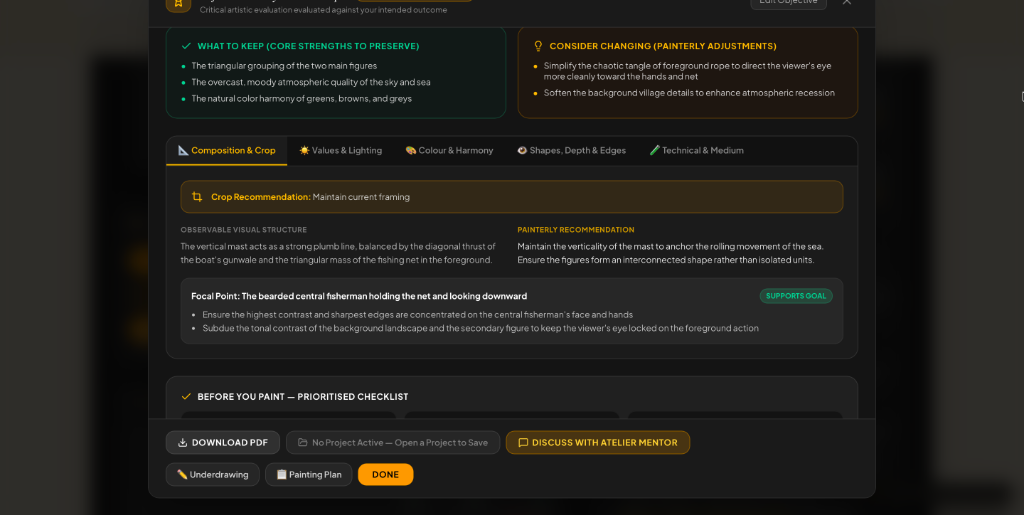
Photograph a work in progress when you need another view of the problem. Atelier can help you examine value structure, focal hierarchy, edges, colour relationships and the next practical decisions — while your intention remains the reference point.
After the last brushstroke
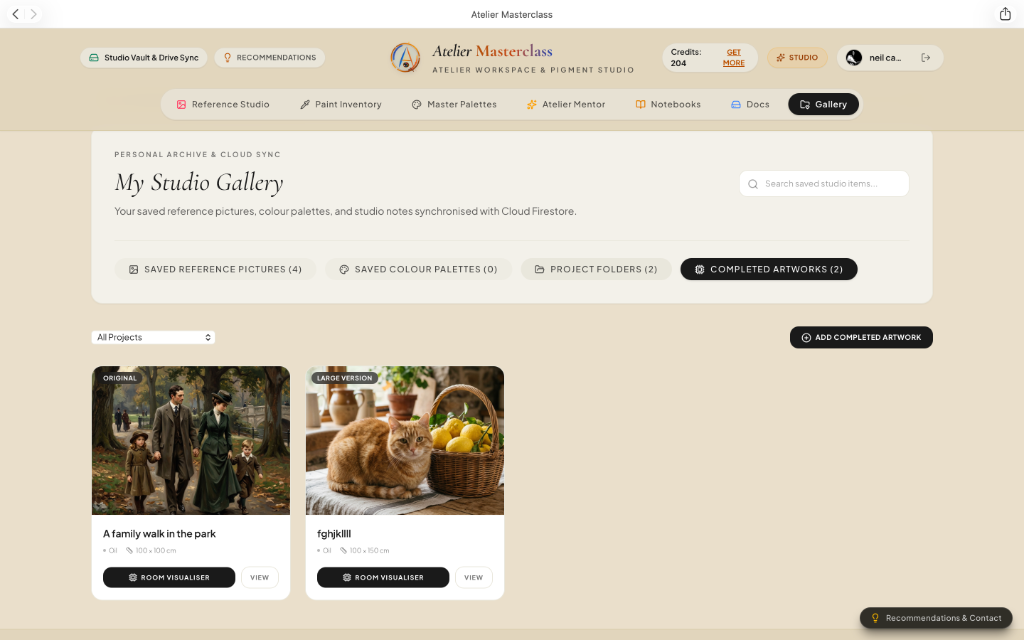
Keep the finished artwork connected to its project history, artwork record and the practical side of a working studio. Publish selected pieces only when you choose.
Keep title, medium, dimensions and the record of the work together.
Create artist-issued documentation without pretending it is independent authentication.
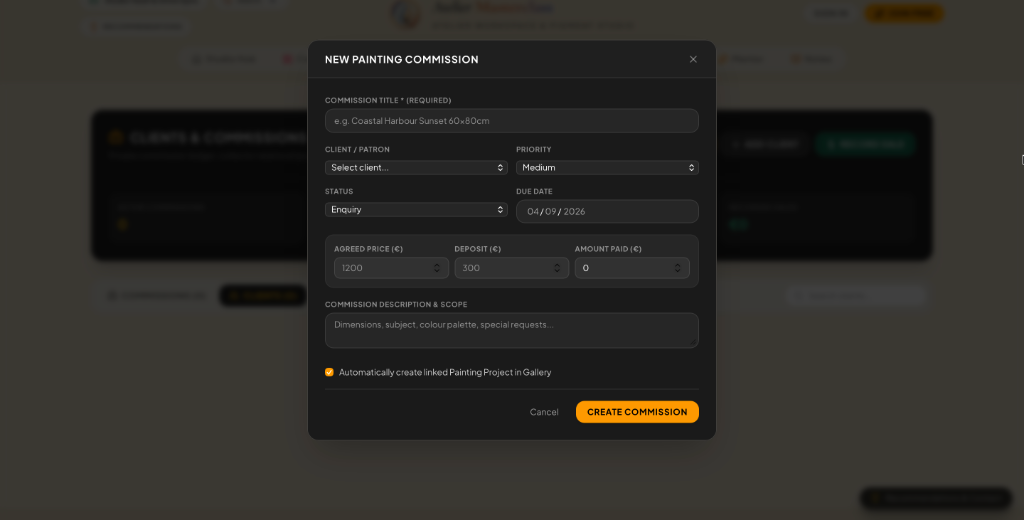
Link the painting to the client and commercial record when the work was commissioned.
Create a public Atelier identity, then choose which artworks, lessons, classes, groups and Journal posts become public.
Discover, learn and connect
Members choose what becomes public. Visitors can discover original artwork, artists, tutors, lessons and member Journals & Updates. Registered members can like Journal posts, save favourite artist pages and report public material that needs review.
Search once, move naturally to the person behind the work, and save favourite artist pages privately to your Atelier account for quick return.
Open DiscoverBrowse member studio stories, teaching notes, experiments and creative discoveries. Latest is chronological; Most Liked surfaces the community favourites. Journals are editorial, not a sales feed.
Read JournalsBrowse published lessons and courses. Purchased or assigned material stays tied to the learner's Atelier account rather than to a shareable link.
Browse classesA separate materials and equipment marketplace is planned for later; it will not be presented as active until purchasing and fulfilment are actually enabled.
For tutors, art teachers and schools
Use structured lessons, Master Studies, colour exercises and practical painting tools while keeping the teacher at the centre of instruction. Inside the private Studio, teaching now sits beside the rest of the artist's business: one People record can be both student and client, classes feed a linked calendar, and teaching income shares the same financial record as commissions and artwork sales.
Schools & EducatorsIn plain terms
Atelier Masterclass is a studio workspace for traditional painters and artists. It supports the work around a physical painting — from references and pigments to planning, work-in-progress guidance and finished artwork records.
It is designed for practising painters, serious hobby artists, art students, tutors and educators working in oils, acrylics, watercolour, gouache and related traditional media.
It reduces the research, preparation and studio administration that often sit between an idea and time at the easel, while keeping the artist responsible for the painting and its creative decisions.
Atelier is not an online drawing program and it is not designed to make paintings for you. It is the studio workspace around the physical painting: a place to prepare, understand, organise, document and support the work while the work itself remains yours.
Start free, explore the studio, and decide which parts genuinely earn a place in the way you paint.